Inventory Management Software Ecommerce: 2026 Guide
September 28, 2026 · 16 min read · Bronwyn Furno
You've packed a batch of handmade jewellery, posted a few pieces on Instagram, and opened your online shop. Then a WhatsApp message arrives while you're serving a customer at a weekend market. By lunchtime, the same necklace has sold twice, but your notebook still says there's one left.
That small mistake is where inventory management software for ecommerce becomes useful. It gives you one reliable view of what you have, what has sold, and what needs ordering, without forcing you to remember every item yourself.
Table of Contents
- When a Small Shop Suddenly Runs Out of Stock
- What Ecommerce Inventory Software Actually Does
- Why Spreadsheets and Guesswork Stop Working
- Must-Have Features for South African Online Stores
- Standalone Tools Versus All-in-One Platforms
- Setting Up Your Inventory System Step by Step
- Keeping Stock Accurate Across Every Channel
- Your First Week With a New Inventory System
When a Small Shop Suddenly Runs Out of Stock
Thandi makes beaded jewellery from her home studio in Cape Town. On Saturday morning, she has three pairs of blue-and-gold earrings in a tray, two listed on her online shop and one reserved for the market. She writes the numbers in a notebook, checks WhatsApp between customers, and tells her courier she'll have the parcels ready before collection.
The morning gets busy. Someone buys a pair at the market. Another customer pays through a message. A third shopper places an online order while Thandi is helping someone choose a bracelet. The notebook stays in her handbag.
On Monday, she discovers that two customers bought the last pair. One needs a refund. The other has already planned to wear the earrings to an event. Thandi spends the week apologising, checking payment records, and wondering whether the customer will buy from her again.
The problem wasn't that Thandi was careless. She was running several small sales channels without one shared stock count. A missed update on Saturday became a customer-service problem by Monday, and a promising product disappeared from her store before she could reorder it.
Early planning can help too. A beginner-friendly guide to early-stage demand prediction can help you think about likely demand before buying more materials. But forecasting won't fix a stock number that's already wrong. You first need accurate tracking, and the rest of this guide shows how software can prevent Thandi's exact situation.
What Ecommerce Inventory Software Actually Does
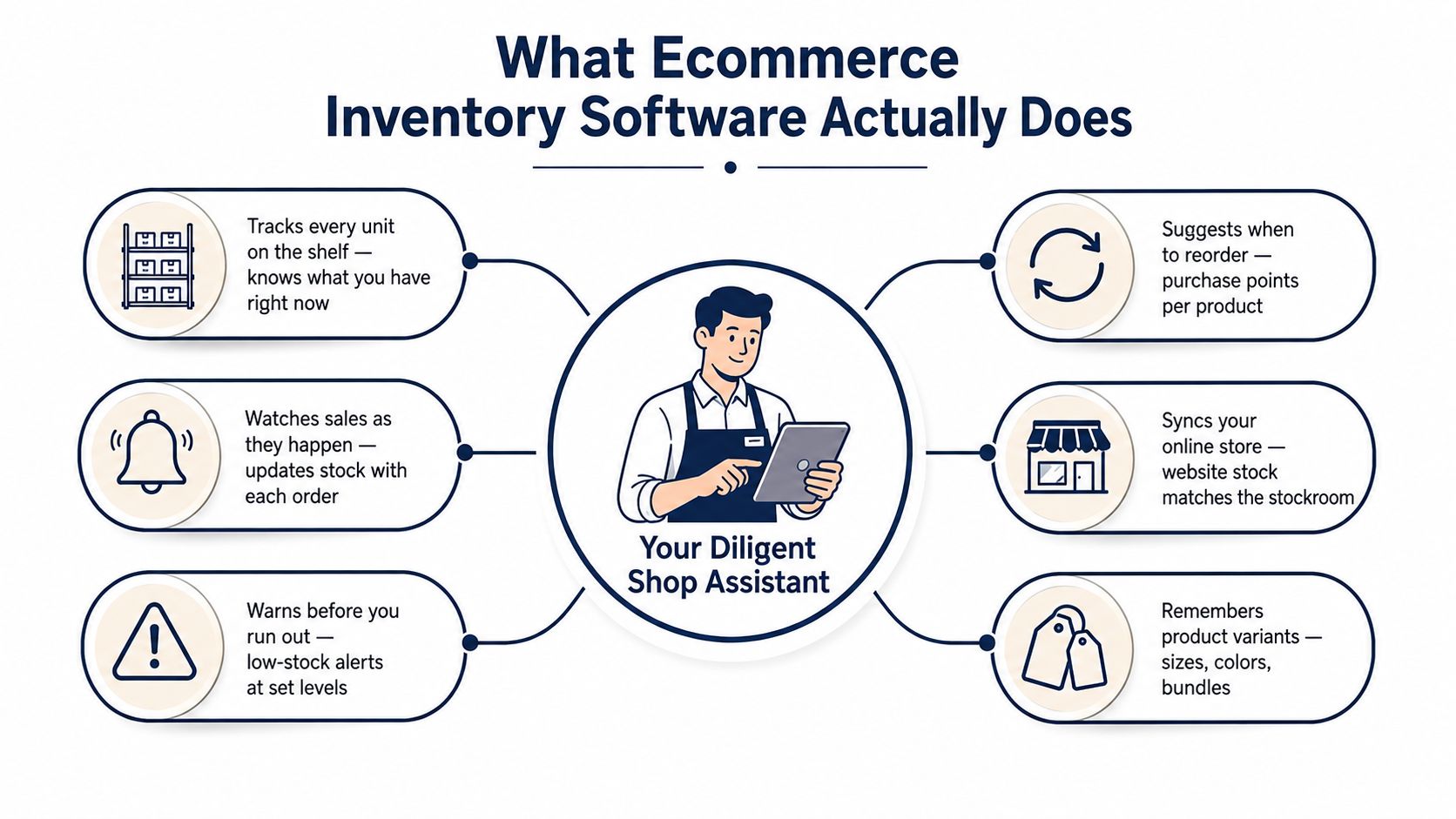
Think of your stockroom as a small shop with a very diligent assistant. Every time a product leaves the shelf, the assistant changes the tally. When only a few units remain, they remind you to order more. If the product comes in different colours or sizes, they keep each version separate.
That's the simple purpose of ecommerce inventory management software. It records stock, connects it to orders, and helps you make decisions before a customer discovers a problem.
The everyday jobs it handles
- Live stock counts: When an online order is paid, the available quantity goes down. This reduces the chance of promising an item that has already sold.
- Low-stock reminders: You choose a minimum level for a product. The software warns you when the number falls close to it, so reordering becomes a planned task rather than a surprise.
- SKU tracking: A SKU is a short code for one exact product version. A black medium shirt and a white large shirt need different codes, even if they share the same product name.
- Order syncing: The system brings orders into one place instead of making you update your website after every sale.
- Returns and adjustments: Returned items, damaged goods, samples, and market sales can be recorded so your available-to-sell figure reflects reality.
- Supplier and fulfilment records: Some tools help you monitor purchase orders and decide where an order should be packed or shipped.
For a practical explanation of how small and medium businesses use these systems, you can also explore SMB inventory management AUSFF. The important question isn't whether a tool has the longest feature list. It's whether each sale, return, and stock correction reaches the same record.
Your payment and delivery setup matters here. A system that can't connect sensibly with the gateway you use, or with the courier process your customers expect, may leave you copying information between screens. In South Africa, local payment support can include PayFast, Yoco, Peach Payments, or Ozow, depending on the platform and your business setup. The inventory tool should recognise a genuine paid order, not just an abandoned basket.
Why Spreadsheets and Guesswork Stop Working
A spreadsheet can be a sensible starting point. It's inexpensive, familiar, and useful when one person sells a small range from one location. Trouble starts when the same stock appears in several places and updates happen at different times.
South African SME research shows how inconsistent manual control can be. In one study of 100 businesses, 19% always prepared inventory budgets, 21% always reviewed inventory levels, 25% always reviewed shelf space, and 19% used computers in inventory management. The figures are reported in Shopstar's South Africa-focused inventory guidance.
Another Cape Metropole SME study found that 82.9% conducted stocktaking, while 17.1% did not. Theft was the most frequent challenge at 24.4%, followed by stock shortages and staff errors at 8.7% each, as documented in the same guidance. These findings don't mean every small seller has poor controls. They show why memory, occasional counting, and a shared file can leave important gaps.
| Shop Reality | Spreadsheet or Notebook Response | Where It Breaks |
|---|---|---|
| A sale happens online | Someone edits the quantity later | The item may sell elsewhere first |
| A product has colours or sizes | Variants sit in one row | The wrong version appears available |
| A return comes back | The seller makes a manual note | Available stock stays understated or overstated |
| Several people pack orders | Each person checks a different file | Updates conflict |
| A market sale happens offline | The seller remembers to update it later | The website keeps showing stock that is gone |
Inventory also ties up cash. South African small-business guidance notes that stock can represent about 50% of current assets in manufacturing SMEs, so a counting mistake affects more than the website. It can leave money sitting in slow-moving products while a popular item is unavailable.
Practical rule: If you sell through more than one place, use one stock record as the source of truth.
Must-Have Features for South African Online Stores
Choose features by starting with the daily problem, not the software brochure. A jewellery seller at a market needs different controls from a business sending products from several warehouses, but both need stock information they can trust.
Start with the stock count customers see
Real-time channel syncing keeps your website, social selling, point-of-sale system, and other listings aligned. If a Cape Town maker sells a necklace at a weekend market, the online quantity should change before another customer checks out.
Barcode or SKU scanning makes a physical count faster and clearer. For handmade products, a code can identify the collection, colour, material, and size. Staff can scan the item instead of guessing which similar-looking product they're holding.
Low-stock alerts and reorder points help you order before the shelf is empty. A reorder point should consider how quickly the product sells, how long a supplier takes, and the extra uncertainty created by courier delays or disrupted operations.
Match the tool to your products
Some sellers only need unit counts. Others need more detail.
- Batch tracking helps when products have different production runs or expiry considerations.
- Serial tracking suits items with individual warranty or service records.
- Purchase order management shows what you've ordered, what a supplier has dispatched, and what hasn't arrived from Johannesburg or overseas.
- Multi-warehouse controls matter when stock is split between your home studio, a storage unit, and another depot.
- Offline or low-bandwidth support can protect your process when connectivity drops or loadshedding interrupts a scheduled update.
Payments need local consideration too. South African ecommerce guidance points sellers towards local gateways such as PayFast, Yoco, Peach Payments, and Ozow, rather than assuming an international processor will suit the checkout. Local ecommerce payment guidance explains why the payment connection is part of the wider store setup. SnapScan may also matter for some in-person selling arrangements, if your chosen system supports it.
| Shop Problem | Inventory Feature | Local ZA Need |
|---|---|---|
| The same item sells online and at a market | Shared stock across channels | Mobile-friendly updates and reliable syncing |
| A supplier delivery arrives in parts | Purchase order and receiving records | Clear delivery tracking for local and overseas suppliers |
| Customers choose collection | Collection and fulfilment options | Courier and collection choices such as Pargo or Aramex |
| Internet access is unreliable | Offline capture or delayed sync | A safe way to record sales until the connection returns |
| You're unsure what to buy next | Reorder points and reports | Lead-time planning that reflects local delivery conditions |
| Some products make more money than others | Cost and margin reporting | Cost of goods, gross margin, and bestseller views by province |
A useful local system should also help you understand returns, fulfilment locations, and the difference between stock on hand and stock customers can buy. Those small distinctions prevent many large headaches.
Standalone Tools Versus All-in-One Platforms
A standalone inventory tool sits beside your ecommerce store. Examples include Unleashed, Cin7, and Dear. These systems can suit a seller with complex manufacturing, detailed costing, several warehouses, or many sales channels. They may offer deeper controls, but you'll usually need a separate subscription and a connection between the inventory tool, storefront, payments, accounting, and shipping.
That connection is where a beginner can get stuck. One system records the order, another changes stock, and a third handles delivery. If a connector fails or a setting is wrong, you may not notice until a customer receives an out-of-stock message.
An all-in-one ecommerce platform keeps the store, orders, payments, shipping, inventory, and reports under one login. Options can include Shopstar, Shopify with stock tools, or WooCommerce with inventory plugins. This route is often easier for a new maker who wants to spend time creating products rather than maintaining integrations.
| Factor | Standalone Inventory Tool | All-in-One Platform |
|---|---|---|
| Integration effort | Usually needs connections to the store and other systems | Core store functions are designed to work together |
| Monthly cost | Separate inventory and ecommerce subscriptions may apply | Often combines key functions under one account |
| Local support | May come from an overseas or email-based team | Some platforms offer support familiar with South African selling |
| Scalability | Strong for complex warehouses and manufacturing | Suitable for many small and growing stores |
| Reporting depth | Can be detailed and specialised | Usually simpler and easier to use |
| Best fit | Complex operations with dedicated staff | Owners who want fewer dashboards and less setup |
The trade-off is flexibility. A standalone system may handle advanced production logic more comfortably, while an all-in-one platform may offer fewer specialist integrations. Your choice should reflect order volume, product complexity, number of channels, and your comfort with managing several systems.
Local needs deserve special attention. A platform that understands South African payment workflows, VAT requirements, and courier choices may save more practical effort than a tool with impressive features you'll never use.
Setting Up Your Inventory System Step by Step
You can make a strong start in one afternoon if you keep the first version simple. Don't try to solve every future warehouse problem before you've accurately recorded the products you sell today.
1. List every product version
Write down each product and variant. A gold necklace, a silver necklace, and a gold necklace with a different chain should have separate entries if they have separate stock counts.
Give each version a short SKU. A pattern such as EAR-BLU-SM can mean earrings, blue, small. For a plain explanation of what a SKU number is, use a consistent naming style that your future helper can understand.
2. Count what you actually have
Import your existing product list where possible instead of retyping it. Then complete one physical stocktake and compare the result with the imported figures. Fix differences before you switch the new system on.
3. Set a sensible reorder point
Shopstar's South Africa-focused guidance recommends calculating a reorder point from average sales during supplier lead time plus safety stock, using a rolling three-month sales average as a baseline. It also recommends recording stock by SKU and updating quantities daily after sales, returns, or damage, as described in practical reorder-point guidance for South African sellers.
For a very small store, start with a clear buffer that reflects your supplier and delivery reality. Don't set the same minimum for a fast-selling bracelet and a rarely ordered display item.
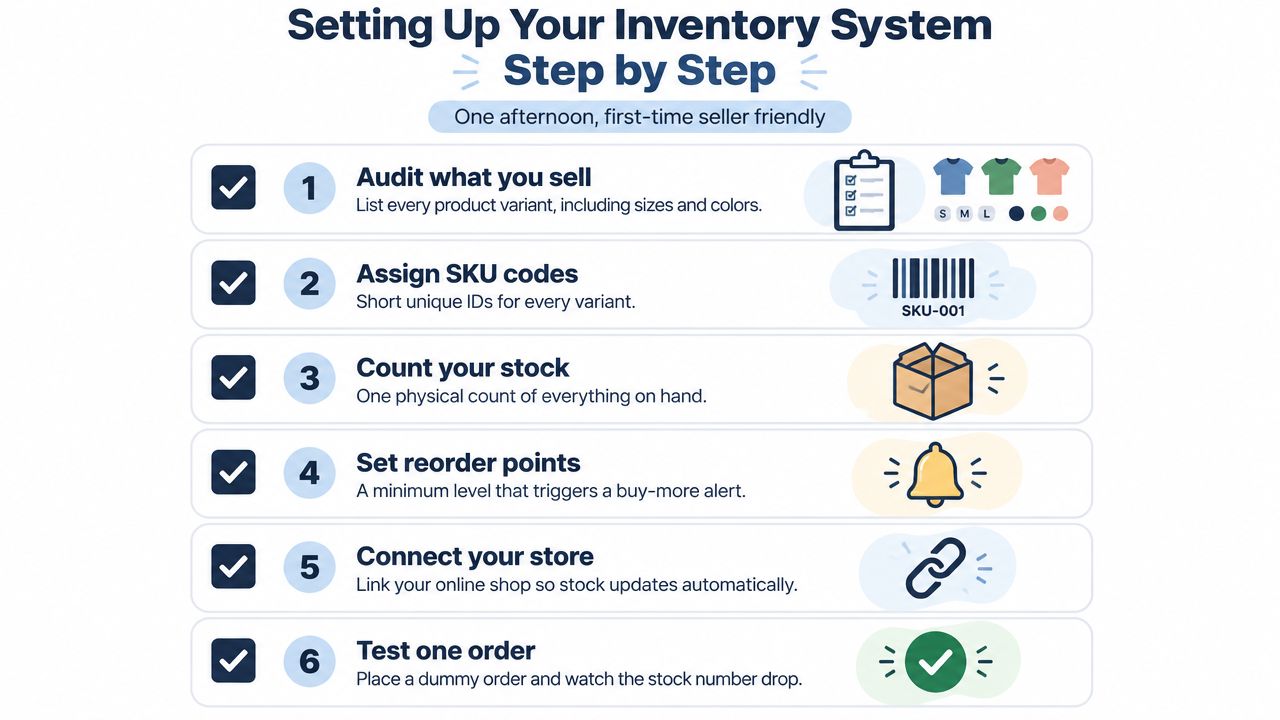
4. Connect the selling parts
Link your online shop, payment gateway, shipping providers, and marketplace channels where supported. Test a paid order, a return, and a manual adjustment. You want to see the stock number change correctly in each situation.
The following video can help you think through the practical setup process:
5. Run both records briefly
Keep the old spreadsheet and the new system running in parallel for a short checking period. Compare totals at the end of each day, investigate differences immediately, and only retire the spreadsheet once you understand why the numbers match.
Keeping Stock Accurate Across Every Channel
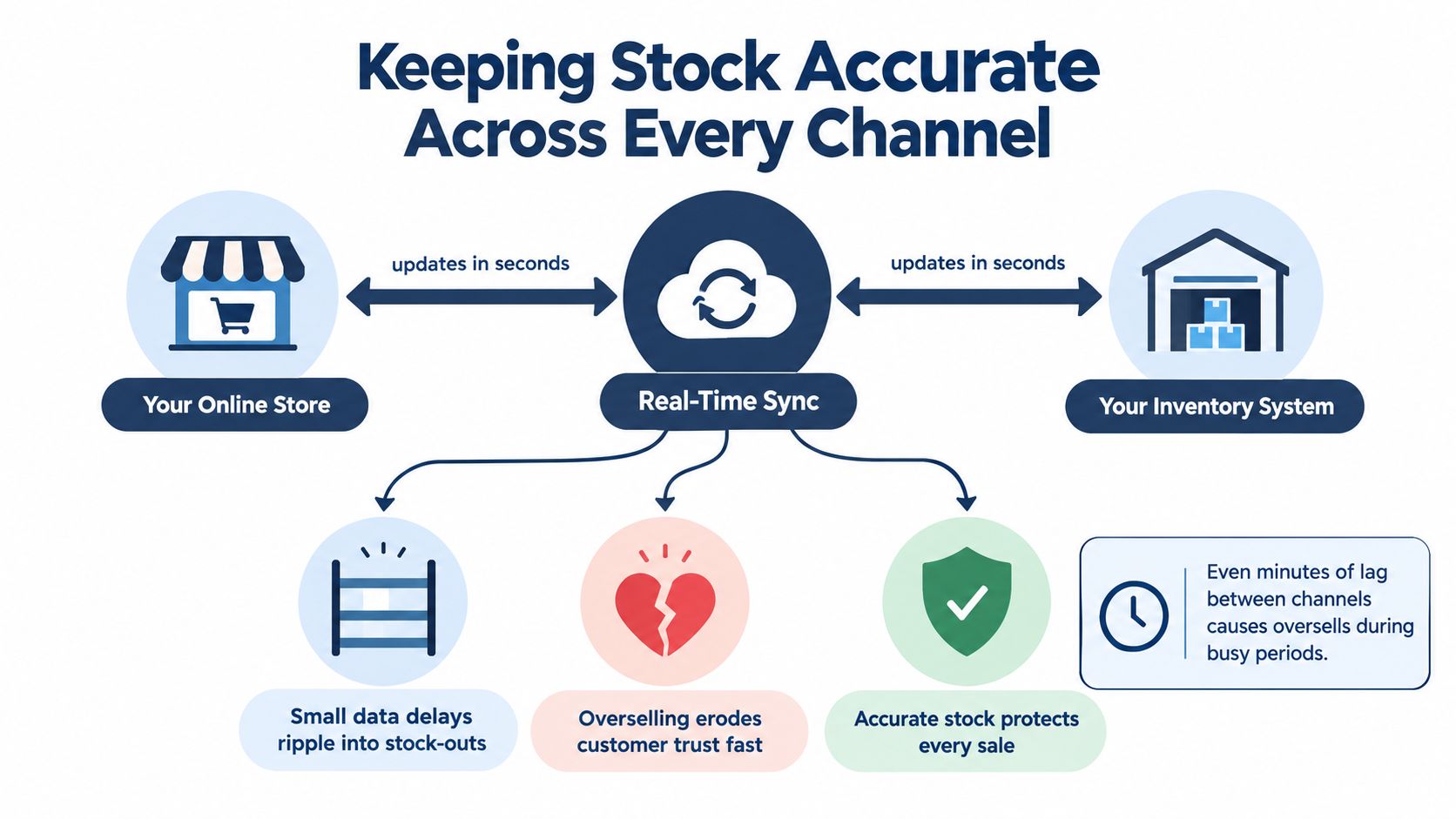
A beautiful dashboard won't save a sale if the stock number is late. The most important question is simple: when something sells, how quickly does every selling channel learn about it?
South African supply-chain research describes stock-outs as a result of “systemic latency”, where non-integrated systems and batch processing create a misleading picture of available stock. The discussion and recommendation for a dynamic fulfilment model appear in this South African supply-chain software overview. The lesson is practical. A system can be connected and still be too slow.
The three places your stock must agree
Your first layer is the online store and stockroom. A paid order should reserve or reduce the available quantity promptly.
Your second layer is in-person selling, such as a market, pop-up, or studio visit. If the seller records a market sale only at night, the website may continue offering that product during the day.
Your third layer is marketplaces and social channels, including Takealot listings or sales that begin through Instagram and WhatsApp. Each channel needs to draw from the same available quantity, rather than keeping its own private version of the truth.
Overnight updates create a dangerous gap. Two customers can buy the last item before the systems reconcile, and the seller then has to cancel one order. Loadsheding, mobile-only connections at markets, and courier delays add pressure because the seller may not know which stock is packed, moving, reserved, or ready to sell.
For a new South African seller, a built-in ecommerce platform can remove some of the integration work. Shopstar keeps products, orders, payments, shipping, and inventory in one dashboard, and its connected selling tools are designed to reduce the need for separate stock connectors. You can read more about omnichannel inventory management before deciding how many channels your store should support.
A small store doesn't need the most complicated system. It needs the shortest path between a sale and an accurate stock count.
Your First Week With a New Inventory System
Treat the first week as a set of small checks, not a giant technology project. Accuracy grows when you repeat simple habits.
- Day one: Import your products and clean the SKU names.
- Day two: Set reorder points using the sales information you have, then adjust them as real orders arrive.
- Day three: Connect your payment and shipping services.
- Day four: Run one test order from checkout through fulfilment and return handling.
- Day five: Count selected products by hand and correct any differences.
- Day six: Switch on low-stock alerts and decide who should receive them.
- Day seven: Review the week, note where information was missed, and tighten that part of the process.
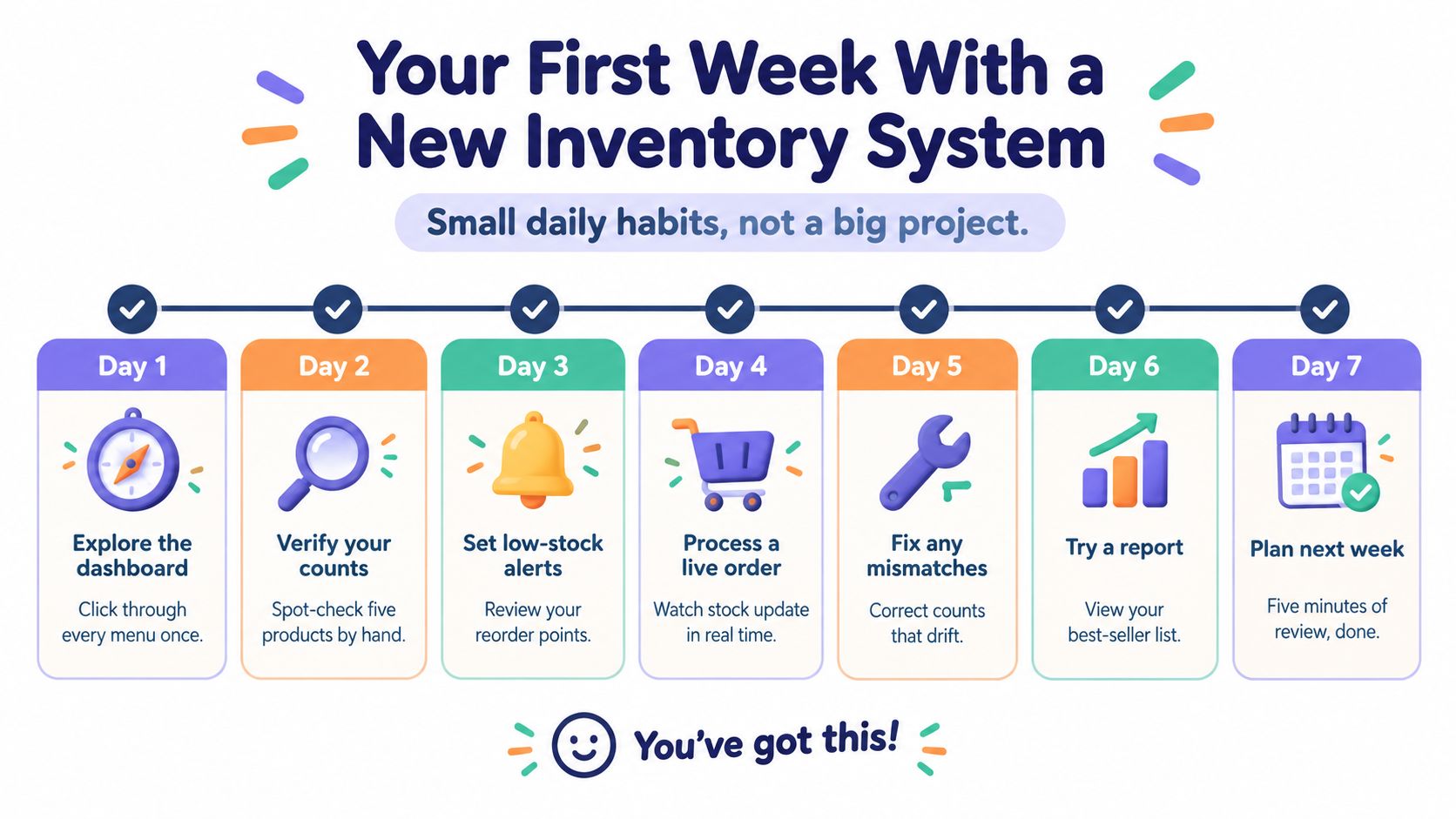
Use your inventory management dashboard as a daily checking point, not a screen you only open when something goes wrong. Look for products with unexpected changes, unprocessed returns, and orders waiting for fulfilment.
You're moving from reactive scrambling to proactive checking. The same habits that keep stock tidy now will support more channels, new product lines, and eventually a small warehouse, without forcing you to rebuild your entire process from scratch.
Shopstar brings your online store, local payments, shipping, orders, inventory, and analytics together in one dashboard for South African makers and creators. Start your store with Shopstar, try it during the 14-day free trial, and visit Shopstar to see how you can manage ecommerce stock with fewer separate tools.