You've packed orders on the lounge floor, posted products on Instagram, Facebook and WhatsApp, and perhaps even sold a few items at a Saturday market. Then a customer pays for a candle set, and you open the cupboard to find nothing left. The sale is real, but the stock isn't.
That moment feels small. It isn't. A missing item can lead to a refund, an awkward message, delayed delivery and a customer who chooses another shop next time. Inventory control helps you avoid that stress with a simple habit, one trusted stock list, checked regularly. You don't need to build a complicated system before you make your next sale.
Table of Contents
- Why Stock Outs Are Quietly Costing You Sales
- Build One Trusted Stock List
- Set Reorder Points That Match Local Reality
- Run a Calm Monthly Cycle Count
- Choosing Your Tracking Approach
- A Simple Routine You Will Actually Follow
Why Stock Outs Are Quietly Costing You Sales
A small South African maker realises the problem just after replying, “Thank you for your order.” A candle set sold through Instagram is no longer in the cupboard. The last set went to a customer at a market stall, but the online stock was never changed.
Now the maker has to send an apologetic WhatsApp message. They can offer another scent, a later delivery or a refund. None of those options feels as good as sending the product the customer already chose.
The lost sale is only the first problem. The customer may have planned the candle set as a gift. They may have trusted your product photos and paid quickly because they liked your brand. A stock out makes the whole buying experience feel less dependable. It can also affect the review the customer leaves and whether they recommend your shop.
A stock out is not just an empty shelf. It's a broken promise about what your shop can supply.
South African small businesses often work with informal routines. A study of 100 businesses found that only 19% always prepared inventory budgets, 21% always reviewed inventory levels, 25% always reviewed shelf-space allocation, and 19% always used computers in inventory management according to the South African study. The same research found that businesses checked stock daily, weekly, monthly or quarterly, rather than following one consistent approach.
You don't need to feel bad if your current method is a notebook, a phone note or memory. You need a routine that makes the truth easy to see.
Start with one stock list. Update it when you sell, receive, damage or return an item. Then give it a short weekly check. That calm habit helps you spot low stock before a customer does. It also gives you a clearer view of what to buy, what to bundle and what to stop making.
Inventory control is knowing what you have, where it is and when to replace it. Keep those three answers current, and your shop becomes easier to run.
Build One Trusted Stock List
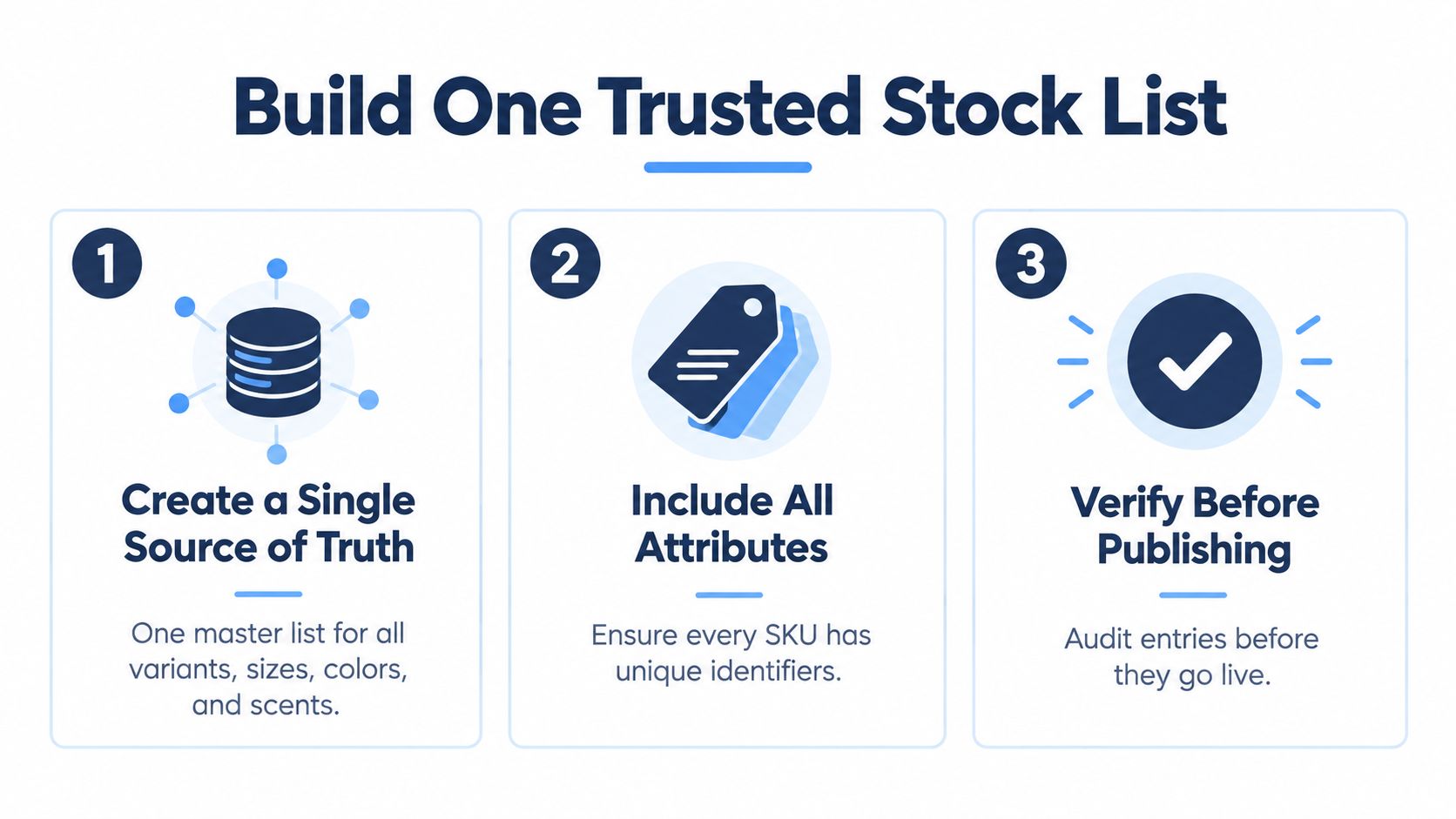
Your stock list must have one clear home. That could be a spreadsheet, an inventory app or your online store. The important part is that you don't keep one count in your website, another in your notebook and a third in your head.
Create a separate line for every product variation. A small jewellery brand shouldn't list “gold hoops” as one item if it sells small, medium and large sizes. A candle maker shouldn't record “vanilla candles” as one line if the products come in different sizes or bundle options. Count every colour, size, scent and bundle separately, as recommended in this South African omnichannel inventory guide.
Give every item a clear identity
Use a simple product name and a code that won't confuse you later. A SKU is just a short identifier for one sellable item. You can learn what a SKU number is before creating your own codes.
For example:
- Product name: Vanilla soy candle, medium
- SKU: CND-VAN-M
- On-hand count: The number physically in your cupboard
- Cost price: What it costs you to make or buy
- Selling price: What the customer pays
Add a location if you store products in more than one place. “Home shelf” and “market box” are more useful than a vague note saying “available”. Keep the names consistent. If you call an item “rose gold bracelet” in one place and “pink bracelet” in another, you may create a duplicate without realising it.
Add every place where a sale can happen
Your list must include your online store, Instagram, Facebook, WhatsApp and weekend market stalls. Offline orders matter too. A South African online-selling guide recommends capturing every sale against the exact SKU and quantity, including market sales entered on the same day in its small-business inventory guidance.
After a sale, reduce the count immediately if you can. If you're serving customers at a busy market, write the sale down and update the main list that evening. An integrated system can update stock automatically, but it still needs accurate product variations and quantities from you.
Create these columns today:
- Product name
- SKU
- Variation
- On-hand quantity
- Cost price
- Selling price
- Sales channel
- Storage location
- Reorder point
- Last counted date
Then count the physical stock before you publish or promote the product. Your list should reflect what you can pack, not what you hoped to make.
Set Reorder Points That Match Local Reality
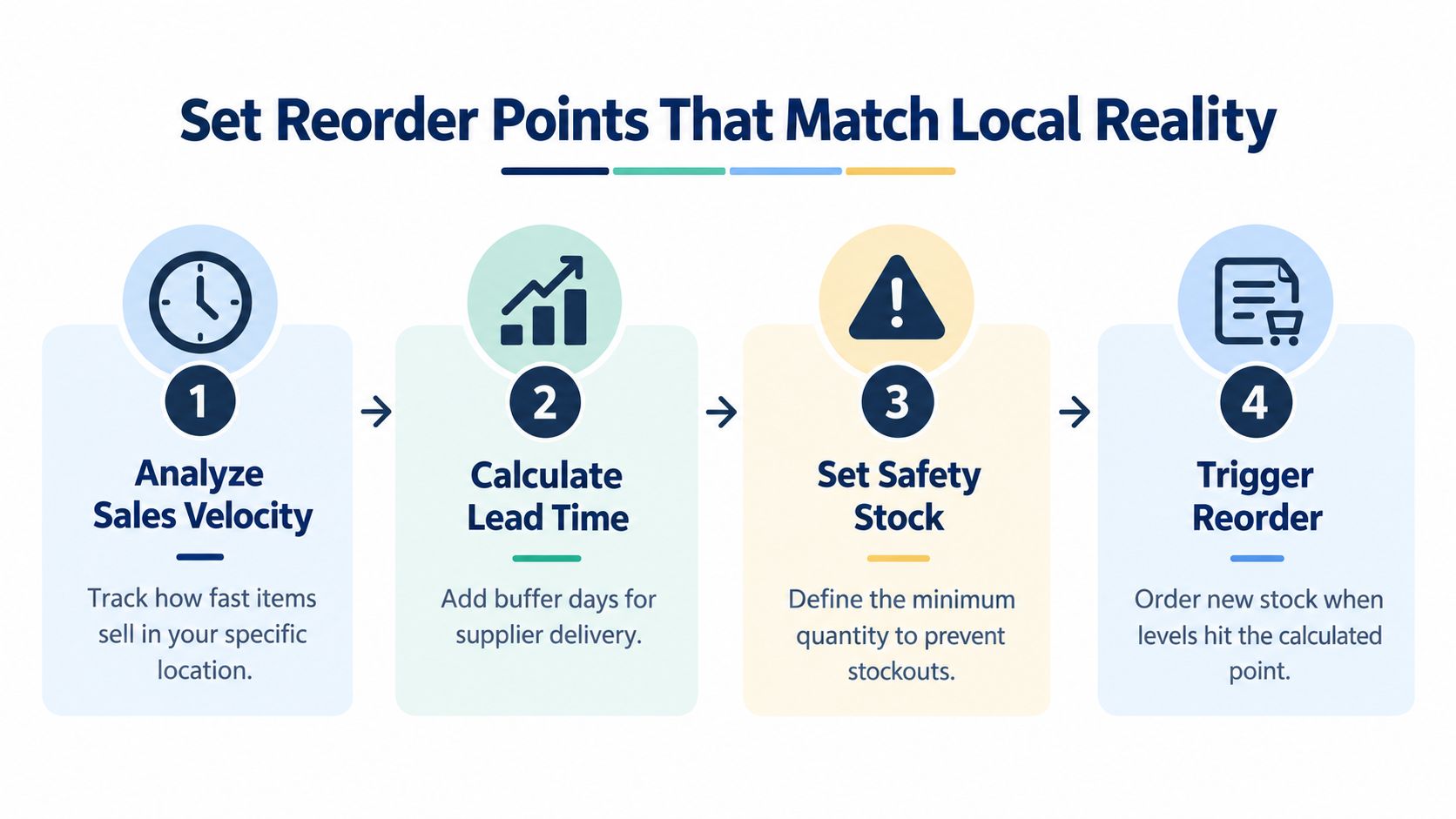
A reorder point is the stock number that tells you to place a new order. Safety stock is the small buffer you keep for surprises, such as a supplier delay, a sudden busy week or a damaged batch.
Start with a simple example. Your handmade soap sells about 12 bars a week, and your supplier takes 3 weeks to deliver. You'll need about 36 bars to cover normal sales during that lead time. Add a safety buffer that feels suitable for the product, then place a new order before your count falls to that total.
The basic idea is:
Reorder point = expected sales during supplier lead time + safety stock
You can use this guide to understand how to calculate days in inventory, then write the result in your stock list beside each important product.
Add a buffer for delays
Local conditions can make a supplier's usual delivery time unreliable. Load shedding can interrupt production, payment processing or packing. Courier collections can slow down around month end. Festive-season demand can rise while suppliers and delivery teams have less spare capacity.
Don't hide those delays from your stock rules. Record the date you order and the date the stock arrives. If a supplier regularly takes longer during a busy period, increase the safety stock for that season. You're not trying to guess perfectly. You're giving yourself breathing room.
For example, if your soap supplier usually delivers in three weeks but recent deliveries have arrived later, don't wait until the cupboard is almost empty. Keep enough extra stock to cover a few more selling days, based on what your sales history and supplier experience show.
Practical rule: Your reorder point should protect the time between placing an order and receiving stock, not the delivery time you wish you had.
Check your reorder points when seasons change, when you add a new sales channel and when a supplier changes their process. Review low-stock warnings weekly, and record production interruptions, including power-related delays, as advised in South African small-business inventory guidance.
Show the rule clearly to anyone who helps you pack orders. If the count reaches the reorder point, they should know whether to buy, contact the supplier or pause promotion. A clear trigger removes last-minute panic.
This short video can help you visualise the process before you set rules for your own products.
Run a Calm Monthly Cycle Count
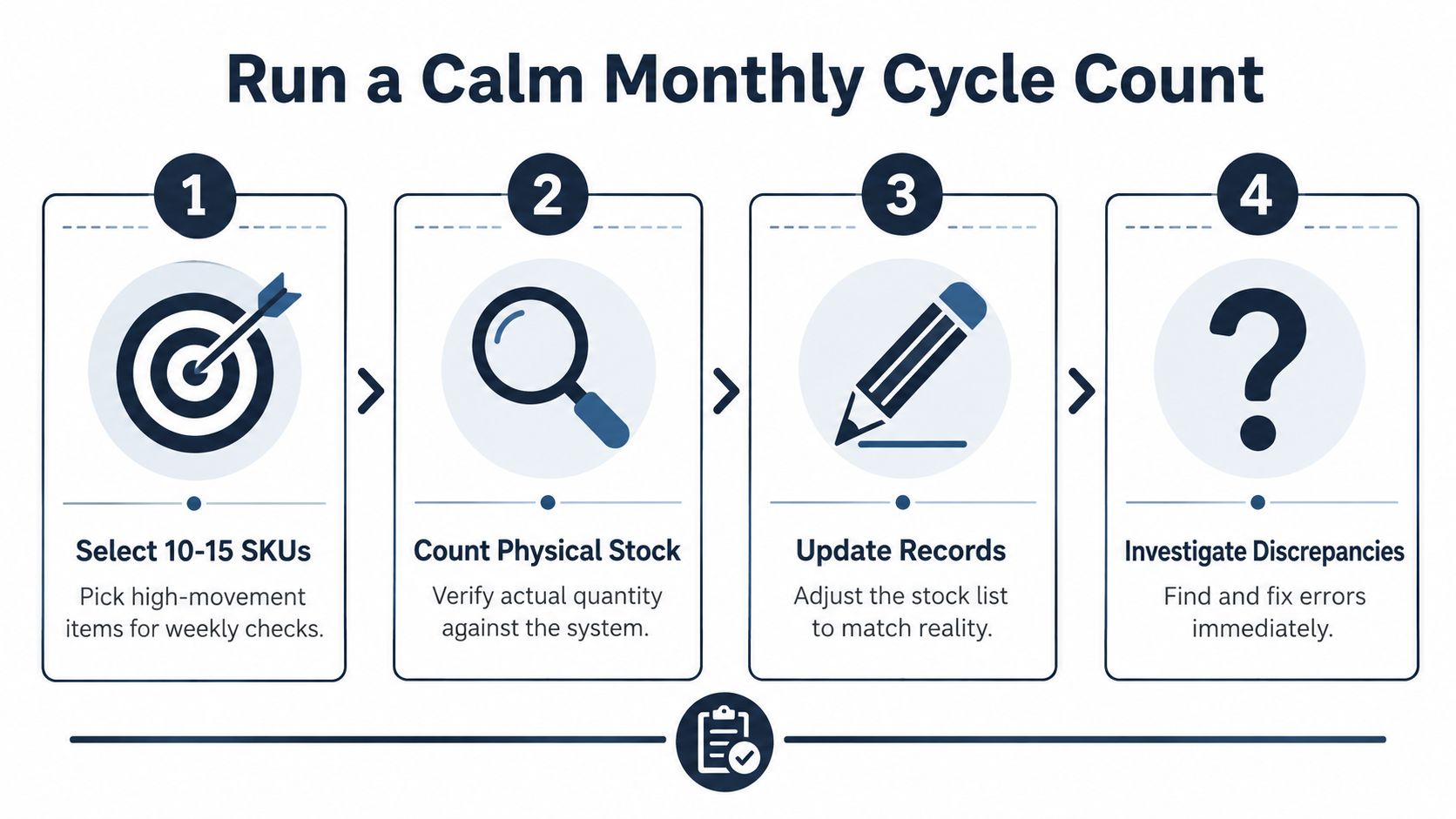
A cycle count is a small stock check done on a schedule. You don't empty the whole storeroom or close your online shop. You check a manageable group, compare the physical count with your list and fix the difference while it's still easy to understand.
Pick your fastest-moving products first. Choose 10 to 15 SKUs, print or write down their current counts, and count those items on a quiet afternoon. If you sell lip balms, earrings and candles, start with the products customers buy most often.
Use one short afternoon routine
Keep the session simple:
- Prepare the list. Write the SKU, product name and recorded quantity.
- Count what you can touch. Check cupboards, packing boxes, market crates and items set aside for orders.
- Compare the numbers. Mark each line as correct or note the difference.
- Update the record. Change the stock list to match the physical count.
- Find the reason. Check for an unrecorded sale, a damaged item, a return or a counting mistake.
A product that is short by one may have been sold through WhatsApp and forgotten. A product that is higher than expected may have arrived in a supplier delivery but never been added. Write the reason in a small log instead of just correcting the number and moving on.
Look for repeating differences
Your log helps you notice patterns. If the same product is short every month, check whether the SKU is confusing, whether staff are recording bundles incorrectly or whether market sales are being added late. If a stock difference appears after every delivery, compare the supplier packing slip with what arrived.
Use the next month's count for another small batch. Keep moving through your range instead of trying to count everything at once. A scheduled check protects your list from slowly drifting away from reality.
A dashboard can make these checks easier to organise. For a practical overview of what to watch, explore this inventory management dashboard guide. The tool matters less than the behaviour. Count, compare, record and investigate.
Choosing Your Tracking Approach
There are three sensible starting points for a small online store. Choose the method you'll update reliably, not the one that sounds most advanced.
| Approach | Best For | Strengths | Limits |
|---|---|---|---|
| Spreadsheet | A maker with a small range and occasional orders | Low cost, flexible and easy to change | You must update every sale yourself |
| Basic stock app | A seller using Instagram, Facebook, WhatsApp and a website | Brings orders and stock activity closer together | Setup still needs careful product and variant names |
| Ecommerce dashboard | A shop selling daily across several channels | Can combine orders, inventory, alerts and reports | May offer more features than a new seller needs at first |
A spreadsheet works well when you have a small product range at home and only a few orders each week. Use clear columns, protect formula cells and keep one person responsible for updates. The danger isn't the spreadsheet itself. The danger is leaving it untouched while sales continue.
A basic stock app becomes useful when you're copying orders between several channels. It can reduce repeated typing, but it won't fix duplicate product names or missing variations. Clean data still matters.
Choose based on your next real problem
Ask yourself what keeps going wrong now. If you forget to record market sales, your first fix is a same-day update habit. If you sell the same item on several channels, you need one master record. If you spend too much time checking orders and low stock manually, an ecommerce dashboard may save that effort.
Shopstar is one option for South African makers and creators. It combines online orders, inventory, payments, shipping and analytics in one dashboard, and supports selling through channels including Google, Instagram, Facebook and WhatsApp. Its product management also supports separate stock quantities for sellable variants and low-stock warnings.
The broader best practices for inventory control are useful when you're deciding what your process should include, even if you start with a simple sheet. You can change tools later. Build the habit first, then let the tool remove work that has become repetitive.
South African research also shows why one policy won't suit every shop. In a Soweto sample of 650 formal independent small businesses, 556 retailers were analysed, and inventory decisions were mainly responsive. Hardware stores were more cost-efficient, while general stores were more responsive in the South African retail study. Your jewellery brand, bakery and clothing shop may need different reorder rules because customers buy different products in different ways.
A Simple Routine You Will Actually Follow
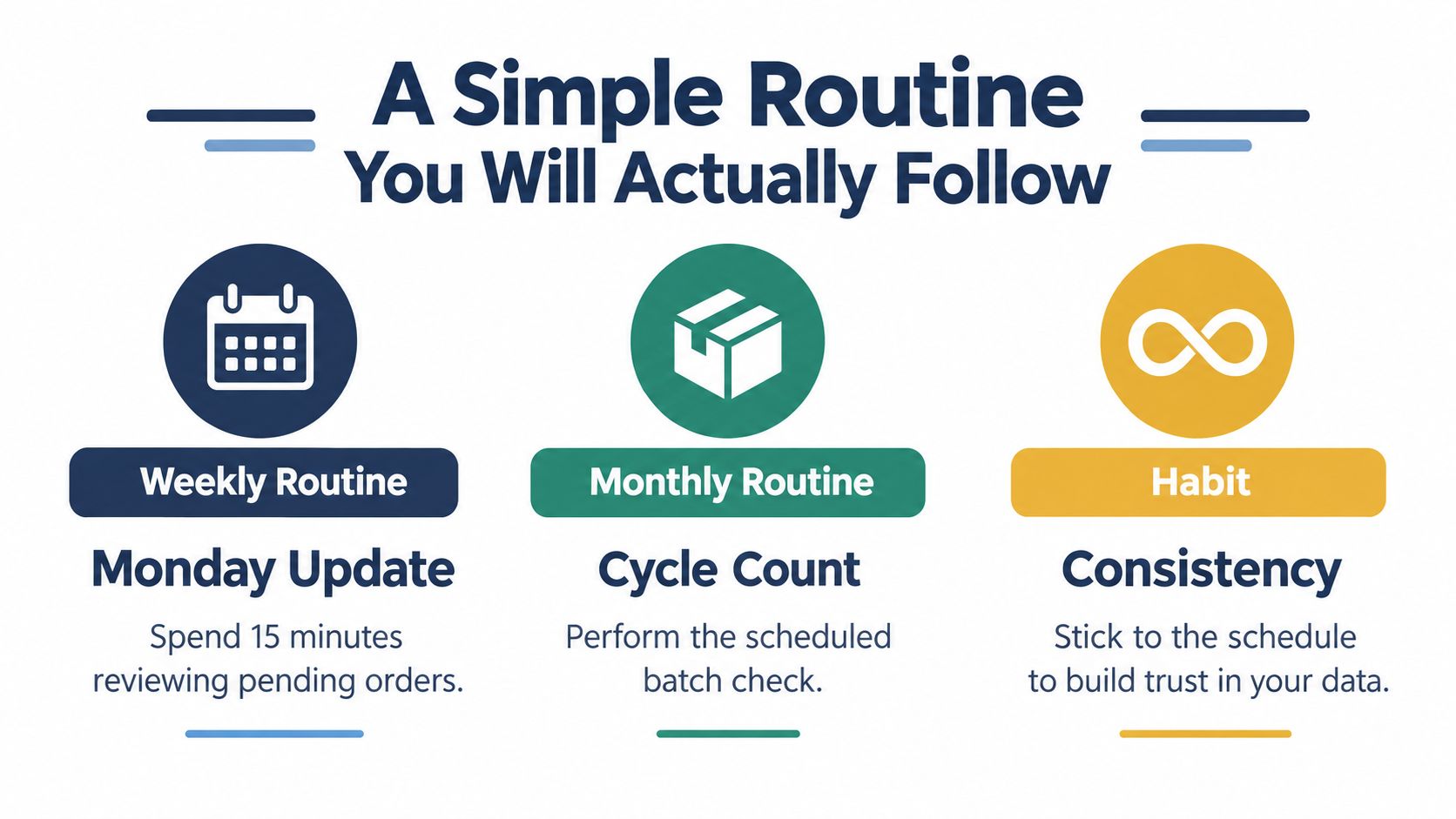
Inventory control only helps when you keep doing it. Put the routine on a wall, save it as a phone note or add it to your Monday calendar. Keep it small enough that you can follow it during a busy selling week.
Every Monday
Spend 15 minutes reviewing the weekend. Check Instagram, Facebook, WhatsApp, your website and any market-stall notes. Add sales, returns, damaged items and new deliveries to the one trusted list.
Then look for products below their reorder points. Mark what needs ordering, what needs making and what should be hidden from promotion until you have stock again.
On the first Saturday of the month
Run a cycle count on a small batch of fast movers. Compare the physical quantities with the list, correct the records and write down any repeating differences.
Check whether supplier delivery times have changed. If load shedding or courier delays affected recent orders, adjust the relevant buffer instead of relying on an old assumption.
Once each quarter
Look across your full range. Decide which products should be reordered, bundled, promoted or dropped. A slow-moving product may need a new bundle, a clearer product photo or a smaller next order. Don't keep making it just because it has always been on the list.
The local stock-control research points to practical basics such as stocktaking, budgeting, disciplined ordering and separating warehouse duties, especially where businesses experience theft, shortages, staff errors and mismatches between physical stock and records in the Cape Metropole SMME study. Start with the part you can control this week.
Questions small sellers ask
How often should I count stock?
Update your trusted list after each sale or stock movement. Do a small monthly cycle count, starting with fast-moving products. You don't need to count the whole range every time.
What should I do during load shedding delays?
Record the interruption and the effect on production, packing or delivery. If the delay changes your usual supplier or fulfilment time, increase the relevant safety buffer and tell customers early.
When should I move beyond a spreadsheet?
Upgrade when several channels create repeated manual work, when you regularly oversell, or when you can't quickly answer what is available. Choose a tool that keeps one stock record rather than adding another disconnected list. For more ideas on planning inventory strategies for Shopify store owners, compare the approach with your own product range and sales channels.
Shopstar gives South African makers one place to manage online orders, product variants, stock quantities, low-stock warnings, payments, shipping and store analytics. Start by creating your trusted stock list, then visit Shopstar to explore a local ecommerce setup that can grow with your weekly inventory routine.